Advanced App'ing
Control the Post Office
COOLCOM's "Be The Post Office" Syztem™ is designed to simplify management and logins and contact info for memberships, mail lists etc.
How it works
"Be the Post Office" starts with a COOLCOM email account and control panel. Yes you read correctly, just one simple email account. However, you want to use a unique personal domain that will serve as your Post Office name... a center that you control. This domain can be your last or first name (there may still be some domain ending available to you) or any catchy word or phrase that you prefer.
TO BEGIN: The key is to have a Post Office URL
Once your URL is registered with COOLCOM (loads of good reasons to use COOLCOM's unique Domain Syztem™), we move to setting up your "Be The Post Office" Syztem. You may even have a URL you want to use (already registered).
Ours will be devs.ca

It's all about the box (yeah!) the box.. the box
The beauty of this Syztem is the "one box" (Focus Box) simplicity!
- We registered devs.ca as our example Post Office URL
- We'll create hello @devs.ca as our Focus Box
Log into your cPanel to create yours! (register the URL first!)
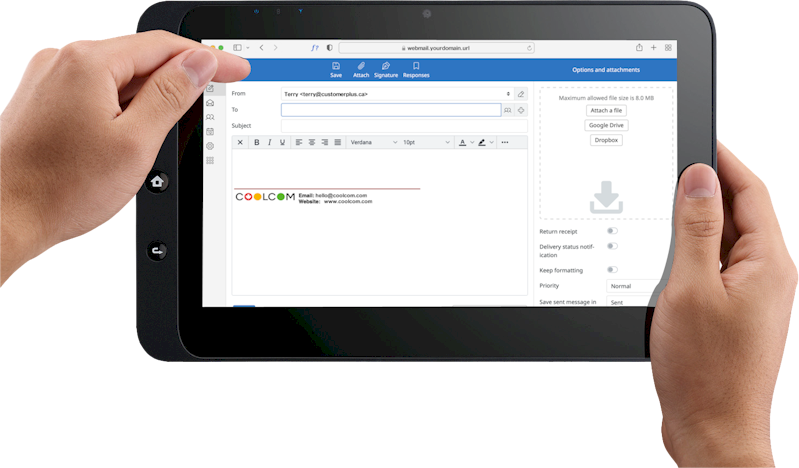
TIP: Now ADD your new email to your email client for receiving and sending, or use your webmail access (https://webmail.devs.ca)
TIP: If asked to Provide a name to the account in your mail client, call it something nice - we used Devs Admin. It mattes later :)

Ready - Set - GO!
About to create an account at Staples?
Log into your cPanel and create a staples@ youraddress "forwarder" to your "Focus Address" first.
- All mail from staples will go to that staples@
- All mail from Staples will arrive in your inbox:)
- If you want to stop hearing from Staples just nuke that Forwarder.
TIP: You can begin by advance creating some addresses you know you'll need (insurancecompany@ bank@
What to do about unrouted mail.
That's a thing?
In the "Default Address" settings for this account, you choose what happens to "unrouted" email... email sent to addresses you have not created as either an actual box or a forwarder.
If you choose to discard it, then email sent to addresses not added to your forwarded list can be rejected with an error message.
If you choose to receive it, then all email to your domain will be sent to your focus address.
A cool little snippet to help you complete your setup :)
ADVICE

Use a consistent system that would enable you to guess what you used if you happen to run into a long forgotten account.
Create Email Forwarders for each login or contact you require, and point them to your Focus email.
Sticking to the basics (don't get cutesy) can make it easy to quickly guessing a long lost login. For example... had an account with Quickbooks long ago? If you used quickbooks@devs.ca, then it should be an easy recall. Using bookkeeping@ or mybooks@ will just keep you guessing.
Now... if you're worried about someone targeting your system and spamming guessed addresses, there are multiple solutions.
Solution number one? Add a consistent number or extra letter to each of your addresses. For example, you may want to use a 5 at the beginning or end of each email (5quickbooks or quickbooks5). You could also double a last letter... such as quikbooks.
Stopping the spam
If and when one of your addresses gets on a spam list, you simply change it up with a consistent action... much like the process you used to create your addresses.
For example... if quickbooks@devs.ca gets onto a spam list... then simply go that account and change that contact to quickbooks2@devs.ca. You only have to make one change at one location. If in the future you need to "guess" an address or login and the name you would normally use does not work, try it with your first "change up"… and so on.
Sorting
One last consideration, is that if you wish to sort and keep email sent to your various accounts, you can certainly create folders for each of them, and program your mail client to automatically send those emails to their relevant folders... using its auto-sorting tools.grabbing lunch... back shortly
Do I have an account here?
That's definately a thing..
A big time saver for me has occurred when I've gone back to a service or site I couldn't recall having an account with. If I've stuck to my pattern, I've usually been able to guess my address (the name of the site or service or person), and even have a password reset sent if necessary. If the address doesn't exist with them, the system will usually tell you.
ADVANTAGES